
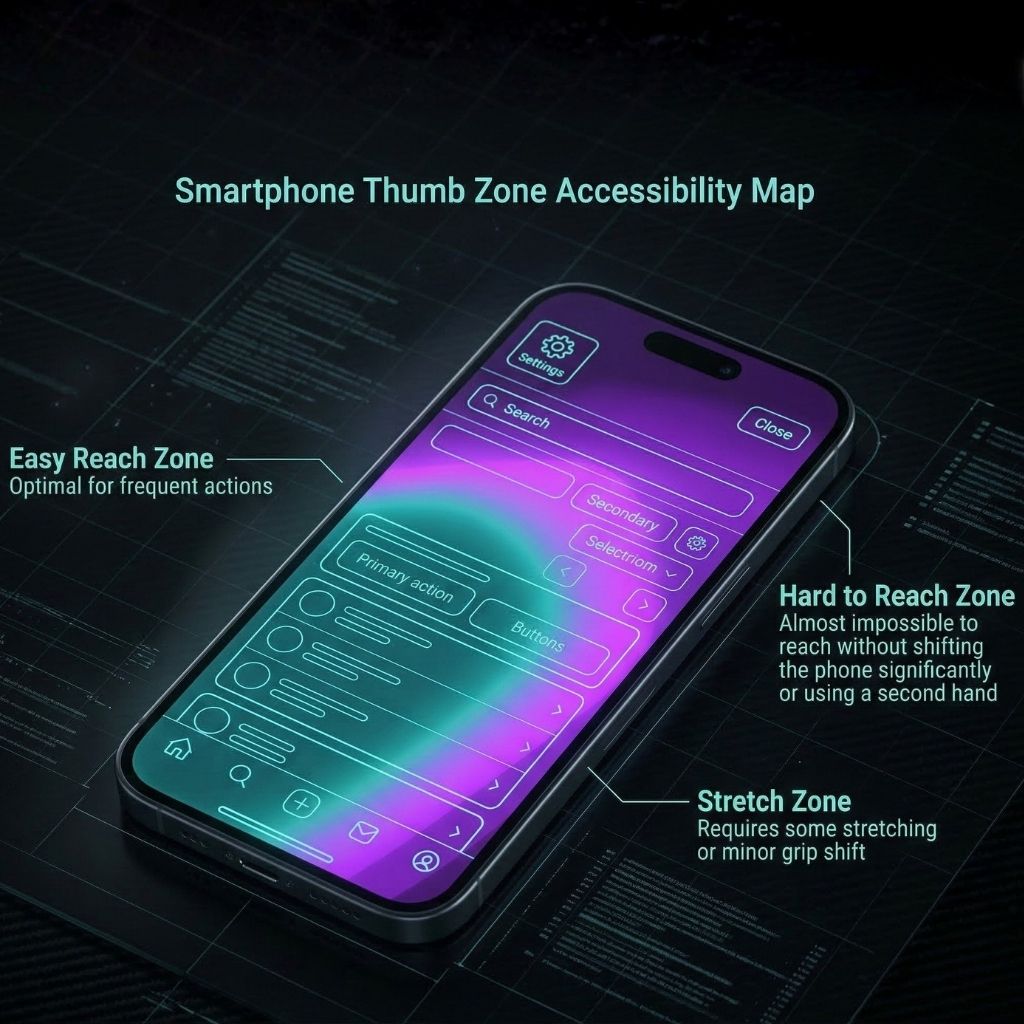
When planning a mobile application development project, it is incredibly easy to get caught up in how an app looks on a desktop monitor during a design sprint. However, the reality of how users physically interact with your software is entirely different. With smartphone screens growing larger every year, the physical ergonomics of mobile design—specifically, the “thumb zone”—has become a critical factor in user retention and conversion rates.
The death of the top-left menu
Historically, web and app design borrowed heavily from desktop software, placing primary navigation elements like the “hamburger menu” or the “back” button in the top-left corner. Ten years ago, when phones were smaller, this worked. Today, requiring a user to stretch their thumb across a 6.7-inch screen is a recipe for physical frustration.
You’ll typically see the most successful modern apps entirely abandoning top-heavy navigation. Instead, they embrace bottom-tab bars and swipe-to-go-back gestures, keeping the most critical, frequently used actions within easy, comfortable reach of a single-handed user.
Mapping the thumb zone
The “thumb zone” is a heat map of a mobile screen, categorizing areas into “natural” (easy to reach), “stretch” (requires effort), and “ouch” (requires shifting the grip or using a second hand). A superior mobile user experience ensures that 90% of your app’s core functions—like checking out, liking a post, or submitting a form—live squarely in the natural zone.
If your primary call-to-action button requires an “ouch” stretch, your conversion rates will mathematically drop. This is why you see massive tech giants moving their search bars and action menus to the bottom of the screen; it’s an acknowledgment of human anatomy over traditional design aesthetics.
Ergonomics as a competitive advantage
Ultimately, physical comfort dictates digital patience. If an app feels clumsy to hold and navigate, the user will subconsciously associate that friction with your brand. By prioritizing ergonomic design during your mobile application development, you create an interface that feels effortless. When your app physically feels better to use than your competitor’s, you win the battle for home-screen real estate.